


Health In today’s digital era, office work often means spending long hours in front of a computer. While technology has boosted productivity, it has also introduced new health concerns—especially for your eyes.
From headaches and dry eyes to blurred vision and fatigue, these issues are becoming increasingly common among office workers. With remote work on the rise, screen time has reached record levels, making it more important than ever to protect your eye health.
This guide will help you understand the risks and share practical, science-backed tips to reduce eye strain and stay healthy while working on a computer.
Why Computer Screens Affect Your Health

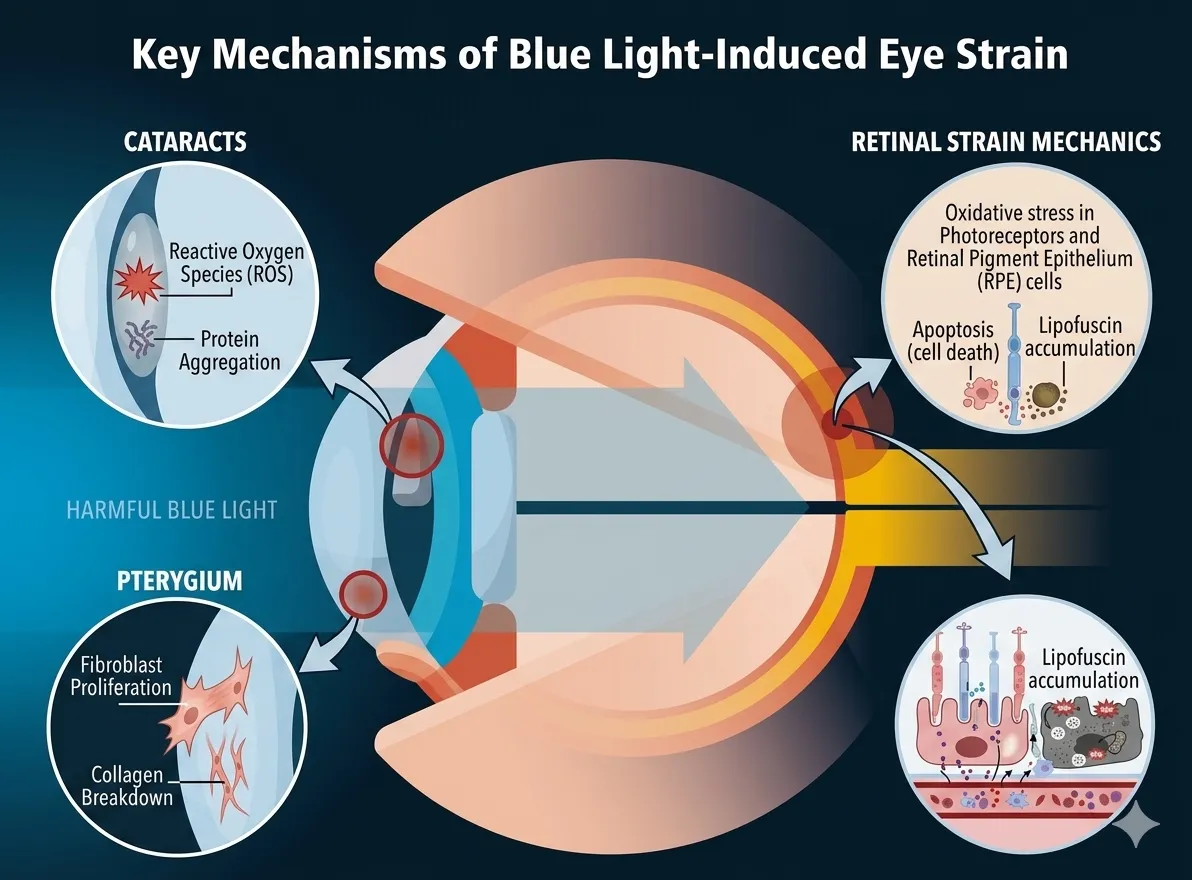
Prolonged screen exposure can lead to a condition known as Computer Vision Syndrome (CVS), also called digital eye strain.
Common symptoms include:
- Blurred or double vision
- Headaches (especially behind the eyes)
- Dry, itchy, or irritated eyes
- Difficulty focusing
- Neck and shoulder pain
These symptoms can affect both your productivity and overall well-being if not addressed properly.
Common Eye Problems from Long Screen Time
1. Computer Vision Syndrome
This is the most common issue among office workers. It includes a range of symptoms caused by focusing on screens for extended periods without breaks.
2. Eye Strain
Eye strain occurs when your eyes become tired from intense use. It can lead to:
- Soreness
- Light sensitivity
- Difficulty concentrating
3. Dry Eye Syndrome
When using a computer, people tend to blink less frequently. This reduces moisture in the eyes, causing:
- Dryness
- Redness
- A gritty or burning sensation
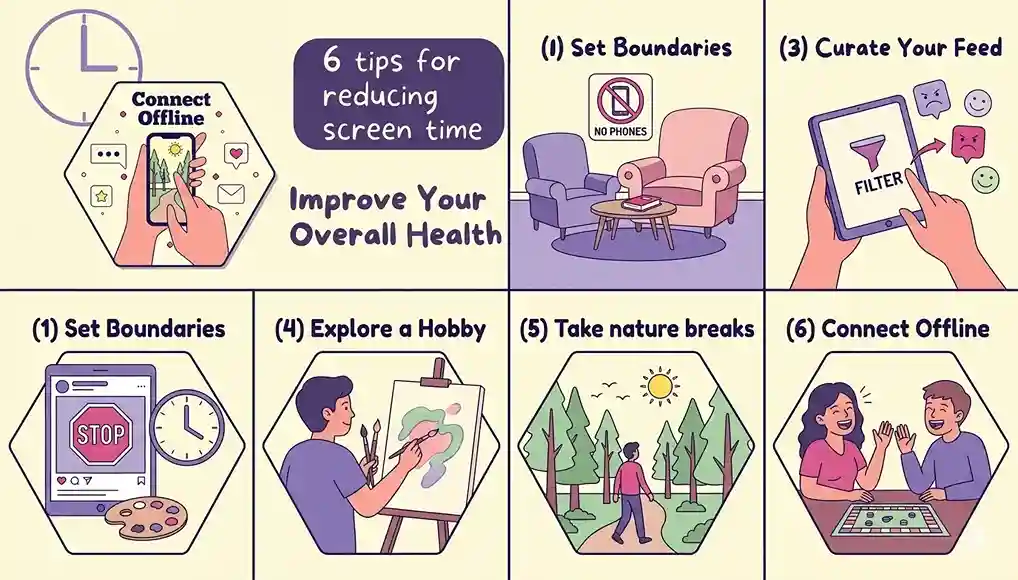
7 Effective Ways to Protect Your Eyes at Work
1. Get Regular Eye Check-Ups
Even if your vision seems fine, routine eye exams can detect early signs of problems. Eye doctors can also identify conditions like glaucoma, cataracts, or vision-related issues linked to other health conditions.
2. Create an Ergonomic Workspace
Proper workstation setup can significantly reduce eye strain.
👉 Follow these guidelines:
- Keep your screen 20–28 inches (50–70 cm) away
- Position the screen slightly below eye level
- Place documents near your screen to avoid constant refocusing
3. Adjust Lighting and Reduce Glare
Poor lighting can worsen eye discomfort.
✔ Use soft, balanced lighting
✔ Avoid glare from windows or overhead lights
✔ Adjust screen brightness to match your surroundings
4. Practice Simple Eye Exercises
Just like other muscles, your eyes need relaxation.
Try these easy exercises:
- Eye rolling: Move your eyes in circular motions
- Focus shifting: Look up/down and side-to-side
- Palming: Cover your eyes gently for 1–2 minutes
- Slow blinking: Blink repeatedly to rehydrate eyes
These exercises help reduce tension and improve focus.
5. Follow the 20-20-20 Rule
This is one of the most effective ways to prevent eye strain:
👉 Every 20 minutes, look at something 20 feet away for 20 seconds.
This simple habit relaxes your eye muscles and reduces fatigue.
6. Use Blue Light Protection Wisely
Blue light glasses can help improve sleep quality by reducing exposure at night. While they may not completely prevent eye strain, they can:
- Support better sleep cycles
- Reduce nighttime screen impact
👉 You can also enable night mode or blue light filters on your devices.
7. Eat Foods That Support Eye Health
Nutrition plays a key role in long-term eye health.
Essential nutrients and sources:
- Omega-3 fatty acids: Fish, flaxseeds, walnuts
- Vitamin A & beta-carotene: Carrots, spinach, sweet potatoes
- Vitamin C: Oranges, strawberries, broccoli
- Vitamin E: Almonds, sunflower seeds
- Zinc: Chickpeas, yogurt, red meat
- Lutein & zeaxanthin: Kale, eggs, corn
These nutrients help protect your eyes from damage and support healthy vision.
8. Get Enough Sleep
Sleep is essential for eye recovery.
Lack of sleep can:
- Increase eye strain
- Cause redness and irritation
- Worsen blurred vision
👉 Tips for better sleep:
- Avoid screens before bedtime
- Keep a consistent sleep schedule
- Limit caffeine and alcohol
- Create a comfortable sleeping environment
Frequently Asked Questions (FAQs)
What are the first signs of eye strain?
Common signs include headaches, blurred vision, dry eyes, and difficulty focusing.
Can computer screens permanently damage your eyes?
There’s no strong evidence of permanent damage, but prolonged use can cause ongoing discomfort and vision issues if not managed properly.
How long does digital eye strain last?
Symptoms usually improve within an hour after stopping screen use, but may last longer with excessive exposure.
Final Thoughts
Working on a computer is unavoidable in modern office life—but protecting your health doesn’t have to be complicated.
By making small adjustments like improving your workspace, taking regular breaks, and caring for your eyes through proper nutrition and sleep, you can reduce eye strain and maintain long-term vision health.
Start applying these simple habits today to create a healthier, more comfortable work experience.